

What is a 301 redirect and how to configure it to improve your SEO
In the vast world of SEO, the 301 redirect is an indispensable tool for maintaining the health of your website.
In this article, I will explain in detail what the 301 redirect is, how to configure it, and why it is crucial for improving your site’s SEO.
You will also learn how to differentiate it from the 302 redirect and how both can affect your SEO strategy.
What is a 301 redirect?
Subscribe to OnlyNiches.NET from just 30€/month and start scaling your website today.
Importance of 301 Redirect in SEO
Implementing a 301 redirect correctly is fundamental to your SEO strategy.
This type of redirection transfers approximately 90-99% of the link juice from the old URL to the new one.
This way, you can avoid duplicate content issues and ensure that search engines index the correct URL.
301 redirects are essential when:
- You change the URL structure of your website.
- You migrate to a new domain.
- You merge two websites or pages.
- You remove obsolete content.
Differences between 301 and 302 Redirects
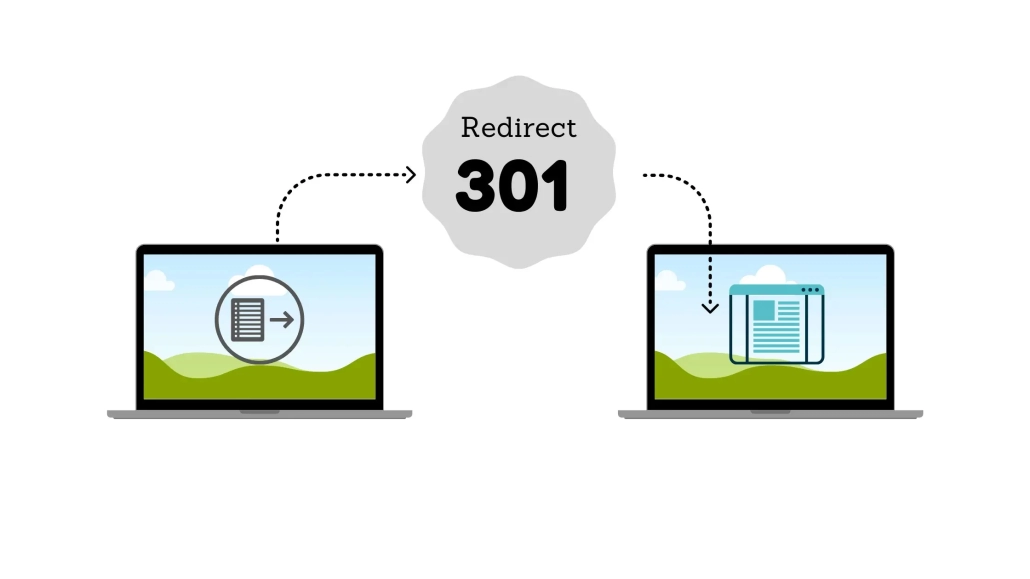
301 and 302 redirects are HTTP status codes used to redirect URLs, but they serve different purposes:
- 301 Redirect: It’s permanent. It informs search engines that the old URL has been permanently replaced by the new one.
- 302 Redirect: It’s temporary. It indicates that the redirection is temporary and that the original URL will return in the future.
Choosing the right redirect model is crucial for your SEO strategy. Using a 302 redirect instead of a 301 can cause indexing problems and loss of page authority.

How to Configure a 301 Redirect
Setting up a 301 redirect may seem complicated, but it’s a straightforward process if you follow the right steps. Here’s how to do it in various contexts:
Using the htaccess file
The .htaccess file is a common way to implement 301 redirects on Apache servers. With this file, you can easily set up a 301 redirect. Follow these steps:
- Access your server and open the
.htaccessfile in the root directory of your website. - Make sure the
RewriteEngine Ondirective is enabled. - Add the redirection rules. For example, to redirect
www.yoursite.com/old-pagetowww.yoursite.com/new-page:
RewriteEngine On
Redirect 301 /old-page http://www.yoursite.com/new-page
4. Save the changes and upload the .htaccess file to your server.
301 Redirect in WordPress
For WordPress users, setting up 301 redirects is even easier using plugins. Some popular plugins include Redirection and Yoast SEO. Here’s how to create a redirect using the Redirection plugin:
- Install and activate the Redirection plugin from the WordPress plugin repository.
- Go to Tools > Redirection.
- In the “Add new redirection” section, enter the old URL and the new URL.
- Click “Add Redirect.”
Redirect via Hosting Control Panel
Some hosting services, like cPanel, offer tools to set up 301 redirects without the need to manually edit files:
- Access your hosting control panel and look for the redirection section.
- Select the redirect type (301).
- Enter the old URL and the new URL.
- Save the changes.
Subscribe to OnlyNiches.NET from just 30€/month and start scaling your website today.
Examples of 301 Redirects
Here are some practical examples of how to perform 301 redirects in different situations:
Domain Migration
If you’re migrating your site from www.oldsite.com to www.newsite.com, you can redirect all URLs from the old domain to the new one like this:
“`plaintext
RewriteEngine On
RewriteCond %{HTTP_HOST} ^viejositio.com [NC,OR]
RewriteCond %{HTTP_HOST} ^www.viejositio.com [NC]
RewriteRule ^(.*)$ http://www.nuevositio.com/$1 [L,R=301,NC]
HTTP to HTTPS Redirect
To improve your website’s security and SEO, you can use redirects to redirect all HTTP URLs to HTTPS:
RewriteEngine On
RewriteCond %{HTTPS} !=on
RewriteRule ^(.*)$ https://%{HTTP_HOST}%{REQUEST_URI} [L,R=301]
Good Practices and Tips
Implementing 301 redirects correctly is key to avoiding common errors that can negatively affect your SEO. Here are some tips:
- Avoid redirect loops: A redirect loop occurs when a URL redirects to another URL, which in turn redirects back to the original, creating an infinite cycle. This can cause your site to be inaccessible and negatively impact your SEO.
- Regularly review redirects: Use tools like Screaming Frog or Ahrefs to audit the redirects on your site and ensure they are functioning correctly.
- Minimize multiple redirects: Multiple redirects (redirect chains) can slow down page load times and affect user experience. Try to redirect directly to the final URL.
- Use 302 redirects for temporary changes: If you only need to temporarily redirect a URL, use a 302 redirect to avoid permanently transferring link authority.
Useful Tools for Managing Redirects
There are several tools that can help you manage and audit redirects on your website:
- Screaming Frog: This tool allows you to crawl your website and find 301 and 302 redirects.
- Ahrefs: Ahrefs offers comprehensive analysis of your redirects and their impact on SEO.
- Google Search Console: Use this tool to monitor the indexing and performance of your redirects on Google.
- OnlyNiches.NET: It’s one of the best tools to analyze all the redirects on your website.
Conclusion
The 301 redirect is a powerful tool for maintaining and improving the SEO of your website.
By understanding what it is, how to configure it, and following best practices, you can ensure that your website maintains its authority and traffic even after making significant changes to URL structures.
Do not underestimate the impact of a well-implemented redirect.
It can be the difference between losing valuable traffic or maintaining your position in search engines. So, get to work and optimize your 301 redirects for stronger and more effective SEO!

Eduardo Medina
Eduardo Medina es programador y SEO, con más de 20 años de experiencia en ambos campos. Desde 2024 escribe post para OnlyNiches.NET en el que enseña a los usuarios a posicionar su web y su marca en los motores de búsqueda y redes sociales. En un mundo tan cambiante, hay que estar siempre aprendiendo y reinventándose.


Leave a Reply
Want to join the discussion?Feel free to contribute!