
Optimize your website with the Google Ads Keyword Planner
Introduction to Using the Keyword Planner
Today, optimizing any website inevitably involves a proper selection and use of keywords.
This is where the Keyword Planner can play a crucial role.
This resource, part of Google Ads and formerly known as Google AdWords Planner, is essential for those looking to enhance their online visibility and performance.
Through this article, we will explore how to effectively use this tool, thereby maximizing the potential of your online presence.
What is the Google Ads Keyword Planner?
The Keyword Planner is a tool offered within Google Ads (formerly Google AdWords) designed to help advertisers find relevant keywords that can drive advertising campaigns.
Its usefulness extends to improving SEO, as it provides data on search volume, competition, and suggestions for related keywords.
Main Features of the Google Keyword Planner:
- Discovery of New Keywords: Allows you to generate ideas from phrases, websites, or categories related to your business and is an optimal research tool for your SEO strategy.
- Keyword Performance Data: Displays estimates on search queries, competition, and cost per click (CPC) of keywords.
- Keyword Combinations: Helps to combine different lists of keywords to create new variants.
Subscribe to OnlyNiches.NET from just €30/month and start scaling your website today.
Benefits of Using the Keyword Planner
Expansion of Reach
Using Google Ads’ Keyword Planner, you can discover new keywords related to “keywords,” which is essential for expanding the reach of your campaigns and optimizing for search engines.
This tool allows you to identify terms you might not have considered, ensuring you don’t miss any potential market opportunities.
Optimization of Campaigns and SEO
By evaluating factors such as total search requests and competition, the Google Keyword Planner helps you select efficient keywords for your advertising campaigns and SEO efforts.
This results in more efficient ad spending and improved organic ranking of your site.
Enhanced Content Strategy for Better Results
With insights on the most relevant keywords and their performance, you can optimize your content strategy, targeting what your users are actually searching for.
This not only improves online visibility but also increases the relevance and engagement of your audience.
How to Use the Keyword Planner
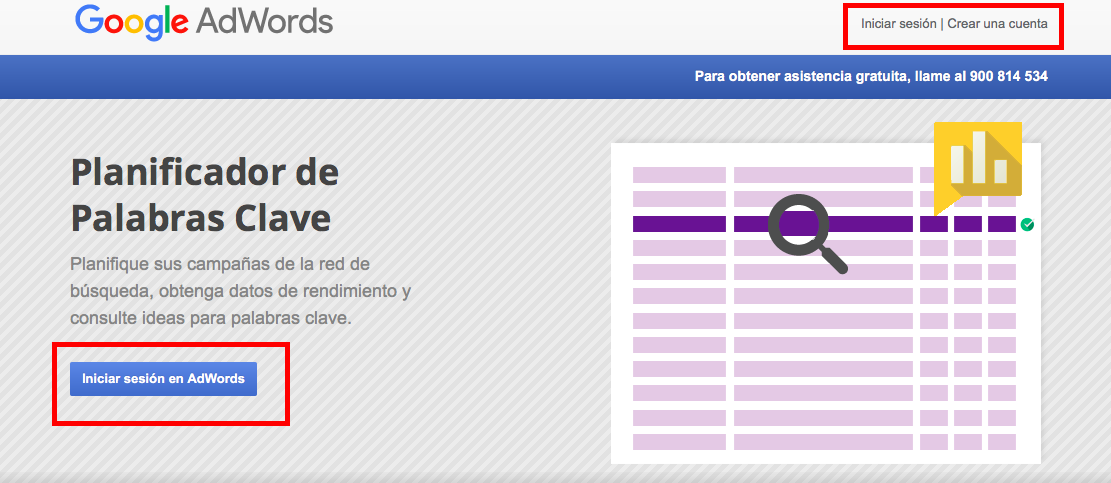
1. Accessing the Planner
To start, you need to access your Google Ads account. Once there, select “Tools and settings” and then click on “Keyword Planner”.
This access is free, although the tool is more oriented towards users who are running or planning to run advertising campaigns.
You also have other alternatives like OnlyNiches.NET which will show you the most suitable keywords for your website. Simply type in words and it will give you a list of related keywords ready to download in a CSV format.
2. Searching for Keyword Ideas
The first step within the tool is keyword research. Here you can enter terms related to your business to get suggestions.
The keyword planner will provide alternatives and variants, including data such as search volume and competition, which will allow you to make more informed choices.
3. Evaluating and Selecting
Once you have a list of suggested keywords, evaluate each one based on its relevance and performance measures.
This step is crucial to identify the most valuable keywords for your specific goals. Some factors to consider when evaluating and choosing keywords are:
- Relevance: Does the keyword directly relate to your product, service, or content? Ensure that the chosen keywords are truly relevant to your business.
- Search Volume: How often is this keyword searched for in search engines? It’s important to choose keywords with a good search volume to ensure your content is seen by a large number of people.
- Competition: How competitive is this keyword? If the competition is high, it might be more difficult to rank in search results. Conversely, a keyword with low competition might be easier to rank.
- Search Intent: What type of information are users looking for when they type this keyword? Make sure to choose keywords that reflect the search intent of your target audience.
- Performance Metrics: Use tools like Google Analytics to analyze the performance of the keywords you’re interested in and adjust your strategy accordingly.
Once you have evaluated and selected your keywords, you can begin to integrate them into your content, web optimization strategy, and digital marketing campaigns.
Remember that keyword optimization is an ongoing process, and it’s important to monitor and adjust your keywords based on performance metrics and market changes.
4. Planning and Strategy in Keyword Search
Once you have selected the right keywords, it’s time to integrate them into your digital marketing strategy.
Use the planner to estimate budgets and plan campaigns that maximize visibility and conversion.
You can also use this information to optimize your website content, ensuring that it aligns with the most frequent and relevant searches for your audience.
5. Adding Words, Monitoring, and Adjustments
The digital environment is dynamic and search patterns can change quickly. Therefore, it is crucial to regularly monitor the performance of the selected keywords.
The Planner allows you to review and adjust your strategies based on updated data on the performance of your keywords. This is vital to maintain or improve the effectiveness of your campaigns and search engine positioning efforts.
You can use the OnlyNiches.NET tool for keyword research and track your keywords to understand their evolution in search engines.
Subscribe to OnlyNiches.NET from just €30/month and start scaling your website today.
How to Use the Keyword Planner
For SEO
If your goal is to improve the organic ranking of your site, Google Ads’ Keyword Planner allows you to identify keyword opportunities with high search volumes and low competition.
Implement these keywords in your titles, meta descriptions, headers, and content to improve your ranking in Google search results.
For Paid Advertising
For advertisers using Google Ads, the Keyword Planner is an indispensable tool for optimizing pay-per-click (PPC) campaigns.
You can use the tool to discover profitable keywords and adjust your bids based on performance and competition, thus maximizing your return on investment.
For Content Marketing
The Keyword Planner is also useful for content creators looking for relevant topics that will resonate with their audience.
Based on search trends and volume, you can generate content ideas that not only attract traffic but also add value for your readers.
Advanced Tips for Getting a List of Keyword Ideas
Using Advanced Filters to Find Keywords
Leverage advanced filters to refine your keyword search. You can filter by location, language, and even specific devices.
This allows you to obtain a more accurate data set that aligns better with your target market.
Additionally, by using advanced filters, you can discover keywords or phrases that you might not have considered otherwise.
For example, if you are focusing your marketing strategy on a local market, you can filter by location and choose keywords based on that region which may have high conversion potential.
You can also filter by language to check search volumes in the language your target audience speaks, enabling you to reach them more effectively.
Another option is to filter by specific devices, such as mobiles or desktops, to tailor your keywords to the preferences and behavior of your users on different devices.
In summary, using advanced filters helps you find relevant and specific keywords that will enable you to connect with your audience more effectively and enhance the performance of your online marketing strategies.
Analysis of Seasonality
The Google Ads Keyword Planner allows you to view seasonal or monthly trends for keywords.
This analysis can be crucial for planning campaigns or content that coincides with user interest peaks, optimizing visibility at the most opportune moments.
Integration with Other Google Tools
For a more comprehensive analysis, integrate the data from the Google Ads Keyword Planner with other tools like Google Analytics and Google Search Console.
This integration allows you to see not only the potential of the keywords but also their actual performance on your website.
Deepening the Use of the Keyword Planner for SEO and SEM
Strategies for Finding Effective Keywords
One of the main benefits of the Keyword Planner is its ability to help users find essential keywords for their marketing strategies.
This process involves not only identifying general terms but also discovering specific variants and long-tail terms that can offer greater opportunities for positioning and conversion.
To make this effective, you can start with a base term, known as a ‘seed keyword‘, and use the Planner to explore variations and related terms that your potential customers might be using in their searches.
This tactic is fundamental for developing an exhaustive list of keywords that covers all the possible variations and questions users may have.
Analyzing Monthly Search Volumes
Another critical feature of the Planner is its ability to provide data on the monthly searches for each keyword.
This metric allows you to assess the popularity and demand for each term, which is crucial for prioritizing keywords in your Search Engine Optimization (SEO) and SEM efforts.
By selecting keywords with significant search volume, you can ensure that you are investing resources in terms that have the potential to attract considerable traffic to your website.
Targeting the Top of the Page
Everyone using the Keyword Planner has one common goal: to reach the top of the page in search results.
For this, it’s essential not only to choose the right keywords but also to optimize your content and ads for these terms.
Implementing content strategies that directly respond to user search intentions, along with on-page search engine marketing practices such as optimizing meta tags and URL structures, can significantly improve your chances of ranking well.
Practical Use of Data to Maximize ROI
With the information provided by the Planner, such as monthly searches, competition, and estimated CPC, you can adjust your PPC campaigns to target less competitive but highly relevant terms.
This can help you maximize your return on investment by reducing cost per click and increasing the relevance of your ads for end users, leading to more effective and cost-efficient conversions.
Conclusion
The Keyword Planner is more than just a tool for advertisers; it’s an essential component for any digital marketing strategy.
By understanding and using this tool effectively, you can significantly enhance the reach and effectiveness of your online presence.
Whether you’re looking to optimize your keyword strategy, boost the performance of your paid campaigns, or simply understand your audience’s needs better, the Keyword Planner provides the necessary resources to make informed decisions and achieve your business goals with greater precision.

Eduardo Medina
Eduardo Medina es programador y SEO, con más de 20 años de experiencia en ambos campos. Desde 2024 escribe post para OnlyNiches.NET en el que enseña a los usuarios a posicionar su web y su marca en los motores de búsqueda y redes sociales. En un mundo tan cambiante, hay que estar siempre aprendiendo y reinventándose.


Leave a Reply
Want to join the discussion?Feel free to contribute!