
Crawl Budget: How to Optimize it to Enhance SEO Positioning
In the dynamic world of SEO, the term “Crawl Budget” refers to the amount of resources that Google allocates to crawling a website.
This metric is crucial because it directly influences how much and how quickly the content of your website is indexed by Google.
Next, we will explore how you can improve your crawl budget to enhance the SEO ranking of your site.
What is crawl budget?
The crawl budget, or crawling budget, is a key term in the world of SEO that refers to the amount of resources Google allocates for crawling your website.
In other words, it is the capacity that the Googlebot has to crawl and index the pages of your site within a specified period of time.
Google and other search engines use bots to explore and analyze the content of websites.
This process is called crawling or crawl. However, due to the vastness of the web, each site has a limit on the number of pages that can be crawled in a specific time.
This limit is what we know by this term.
Why is the Crawl Budget Important?
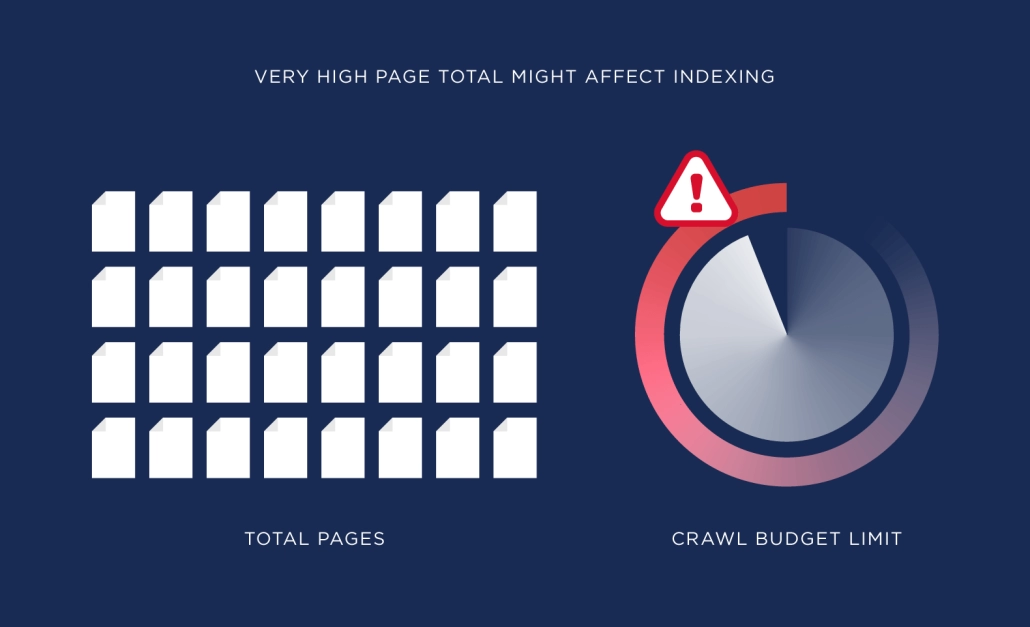
An enhanced crawling budget ensures that Google crawls and indexes your site effectively, which is particularly important for large sites with thousands of pages, such as e-commerce stores and news portals.
Inefficient management can result in important content remaining unindexed, negatively affecting the site’s visibility and traffic.
- Complete Indexing: If the crawl budget is low, Google may not crawl all the pages, leaving valuable content out of the index. Resource
- Optimization: Good management of this term ensures that crawling resources are used efficiently, prioritizing the most important pages. SEO
- Improvement: Enhancing this aspect helps to improve the visibility and ranking of your site in search results.
Factors Affecting Crawl Budget on Your Website
Crawling Frequency
The crawl rate refers to how many times Google crawls your site over a period of time.
This can vary depending on the relevance and freshness of the content. If your site is frequently updated, Google may increase the crawl rate.
On the other hand, if your site is not regularly updated, Google may crawl your site less frequently.
It is important to note that crawl rate does not guarantee better ranking in search results.
Google takes into account a number of factors to determine a site’s position in search results, such as content relevance, site authority, the quality of incoming links, among others.
To improve your site’s crawl rate, it is important to keep content updated and relevant, enhance page loading speed, use sitemaps and robots.txt, and build quality hyperlinks.
Additionally, it is important to monitor your site’s performance with tools like Google Search Console to identify potential issues that may affect Google’s crawling cycle.
Content Quality
High-quality and relevant content can make Googlebot devote more resources to crawling your site. Duplicate or low-quality content can waste your crawl budget.
It is important to ensure that your website’s content is unique, interesting, and relevant to your audience. Make sure to avoid duplicate content, as this can negatively affect your site’s visibility on Google.
Additionally, it is essential to keep your content updated and fresh to keep users engaged and attract new visitors.
Use relevant keywords naturally in your content to improve your ranking in search engines.
Remember that content quality is key to attracting your audience and improving your online presence.
Invest time and effort in creating high-quality content, and you will see positive results in terms of traffic and visibility in search engines.
Do not underestimate the power of good content!
Site Structure and Internal Links
A good internal link structure helps Googlebot efficiently navigate your site.
Make sure that important pages are linked from the homepage and that broken links are minimized. To achieve an effective internal URL structure, consider the following:
Site Structure and Internal Links
A good internal link structure helps Googlebot efficiently navigate your site.
Make sure that important pages are linked from the homepage and that broken links are minimized. To achieve an effective internal URL structure, consider the following:
- Clear navigation menu: Your website’s navigation menu should be clear and easy to use. Include links to the most important pages and ensure they are organized logically, which is important for SEO and for improving your SEO.
- Contextual links: Within the content of your pages, include relevant URLs to other pages on your site. This will help users find related information and also improve Googlebot’s navigation.
- URLs from the homepage: Make sure that the most important pages of your site are linked from the homepage. This will help Googlebot quickly find relevant content and is key to increasing your crawl budget and your site’s SEO tactics.
- Deep links: Do not limit yourself to linking only to the main pages of your site. Make sure to create deep links that lead to more specific content, such as blog articles or product pages.
- URL optimization: Use descriptive text in your links instead of simply “click here.” This will help users understand where the URL will take them and also provide relevant information to search engines.
- Minimize broken hyperlinks: Regularly review your site to identify and correct broken URLs. Broken links can negatively affect user experience and can also make it difficult for Googlebot to index your site.
In summary, a well-planned internal link structure is key to improving your site’s navigation, facilitating indexing by search engines, and increasing the visibility of your pages in search results.
Dedicate time to enhancing your internal connections and you will see improvements in user experience and web performance.
Server Errors and Redirects
Errors such as 404s or excessive redirects can unnecessarily consume your Crawl Budget.
These errors can cause web crawler bots to waste time crawling resources that do not exist or following redirects that could be avoided.
To maximize the use of your Crawl Budget, it is important to correct and identify these errors as soon as possible. For example, make sure that all URLs redirect correctly and that there are no broken links on your website.
It is also advisable to reduce the number of redirects used, as each one consumes part of the Crawl Budget.
Additionally, regularly monitor server errors and redirects through tools like Google Search to quickly detect and resolve any issues that may affect the crawling ability of website crawlers on your site.
Subscribe to OnlyNiches.NET from just 30€/month and start scaling your website today.
How to Optimize Your Crawl Budget
Prioritize Quality Content with Your Crawl Budget
Google allocates more crawl budget to sites with high-quality content.
Make sure your content is relevant, original, and valuable to users.
Additionally, it’s important to enhance your content with relevant keywords to improve your ranking in search engines, which is crucial for crawl budget optimization.
You can also include internal and external URLs to authoritative sources to enrich your posts.
Keep your content updated and relevant, as Google values the freshness of the information.
Update your old posts, remove outdated content, and create new articles regularly.
Furthermore, consider the user experience when visiting your website. Ensure the design is attractive, navigation is intuitive, and loading speed is fast.
In summary, prioritizing quality content is essential for improving your position in search engines and attracting more users to your website.
Spend time and effort creating relevant, original, and valuable content to ensure the success of your SEO strategy.
Improve Internal Links
Internal URLs are essential for guiding Googlebot through your site.
A well-planned hyperlink structure helps distribute the crawl budget efficiently.
It’s always important to ensure that internal links are optimized to improve navigation and indexing of the website. Here are some ways to enhance internal links:
- Use relevant keywords: Include relevant keywords in the anchor texts of your internal hyperlinks to help search engines understand what each page is about and how to optimize the crawl budget for SEO.
- Link to important pages: Make sure to connect to your most important and relevant pages within your site so that users and web crawlers can easily find them.
- Create a logical link structure: Organize your URLs logically and coherently so users can easily navigate your site.
- Eliminate broken links: Regularly review your internal URLs to ensure there are no broken links that could affect the user experience and your site’s indexing. This is important for SEO and to maximize the cost.
- Use contextual links: Connect to other internal pages contextually, that is, within relevant content, rather than simply creating lists of links in the sidebar or footer.
- Don’t overdo it: While internal links are important, don’t overuse them. Hyperlinks should be relevant and useful to the user, not simply used to increase the number of links on your site. This is key for a good SEO approach and to efficiently manage crawl capacity.
- Use a sitemap: Create an XML sitemap to help search engines discover and crawl all the pages of your site efficiently.
- Monitor and adjust: Track the effectiveness of your internal hyperlinks through analytical tools and adjust your strategy as needed to improve traffic flow and indexing of your site.
By following these practices, you can enhance the internal URLs of your website to improve navigation, indexing, and visibility in search engines.
Use Google Search Console
The GSC is an invaluable tool for monitoring and enhancing your crawl capacity.
You can use the crawl stats to understand how Googlebot interacts with your site and make necessary adjustments.
Additionally, Search Console also allows you to check your site’s indexing, analyze search performance, detect crawl errors, and receive notifications about potential issues, which is vital for refining your crawl capacity and SEO strategy.
To use Search Console, you must first verify ownership of your website.
You can do this through several options, such as adding an HTML file to your server, verifying ownership through your web hosting provider, or adding a TXT record in your DNS settings.
Once you verify the ownership of your site, you’ll have access to all the features and data that Search Console offers.
You can monitor impressions, clicks, and your site’s ranking in search results, as well as get detailed information about the performance of your keywords, indexed pages, incoming URLs, and much more.
In summary, the GSC is an essential tool for any website owner who wants to improve their visibility in Google search results.
Don’t hesitate to use it to enhance your crawl budget and improve your site’s indexing!
Reduce Duplicate Content
Duplicate content can consume your crawl budget without adding value.
Use canonical tags to indicate the preferred version of a page and avoid redundant content.
Additionally, make sure not to copy and paste text from other sources without properly citing them.
If you need to use external information, make sure to paraphrase and cite appropriately to avoid duplicate content.
Remember that unique and original content is key to improving your placement in search engines.
Improve Site Speed and Aid Your Positioning
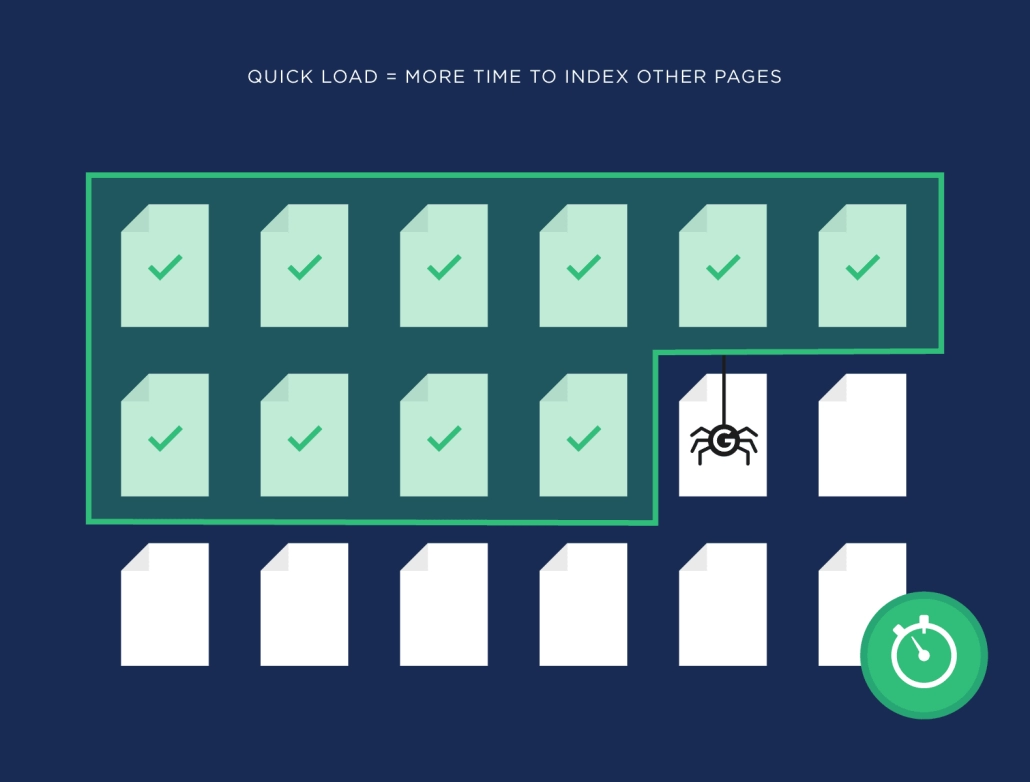
Crawl speed is related to your website’s loading speed. A faster site allows Googlebot to crawl more pages in less time.
Use tools like PageSpeed Insights to identify and address speed issues. Optimize your website’s images to reduce their size and improve loading time.
Use a quality server and a reliable hosting provider to ensure good loading speed.
Manage your site’s programming, avoid using too much unnecessary code, and compress CSS, JavaScript, and HTML files.
Use a CDN (Content Delivery Network) to distribute your web’s static content and improve loading speed across different geographical locations, which is important for SEO and to refine crawl cost.
Prioritize the main content of your site to load first and minimize the use of redirects and elements that may slow down the loading.
Regularly test speed and continue improving your website’s loading speed to offer a better user experience and improve your ranking in search results.
Tools and Techniques to Optimize Crawl Budget for SEO
XML Sitemap
An XML sitemap helps Googlebot quickly find all the important pages of your site.
Make sure to keep your sitemap updated and error-free.
Structure of an XML sitemap:
https://www.example.com/page1 2022-01-01 monthly 0.8
https://www.example.com/page2 2022-01-01 monthly 0.7
Remember that an XML sitemap should only include URLs that are important and relevant to your website; it is not necessary to include all pages.
You should also make sure to submit your sitemap to Google Search Console for it to be crawled and indexed correctly.
Robots.txt: Google Bot
The robots.txt file allows you to control which parts of your site can be crawled by Googlebot.
Use it to block access to unnecessary or duplicate pages, thus preserving your crawl budget.
Robots.txt is a text file that is placed in the root of a website and tells search engine robots, including Google’s bot, which pages can or cannot be crawled.
This is useful for preventing certain parts of the site from being indexed in search engines, for example, administration pages or pages with duplicate content.
To create a robots.txt file, simply create a text file named “robots.txt” and place it in the root of your website.
Within this file, you can include directives that tell search engine robots which pages they can crawl and which they cannot.
For example, if you want to block the entire site except the homepage, you could include the following directives in your robots.txt file:
User-agent: *
Disallow: /
Allow: /$
This tells all search engine robots not to crawl any page of the site except the homepage.
It’s important to remember that the robots.txt file is a guide for search engine robots, not a security measure.
If you need to protect certain pages on your site, it is advisable to use additional security measures.
Log Analysis
Log analysis provides you with detailed information on how Googlebot interacts with your site.
This can help you identify crawl issues and improve the use of your crawl budget.
By analyzing the logs, you can see which pages are being crawled more frequently, how often they are accessed, how long Googlebot spends on each page, what status codes it receives, among other data.
This will allow you to identify pages that are not being crawled properly, pages with server errors, pages that are being crawled too frequently, etc.
Additionally, by analyzing the logs, you can detect possible site performance issues, such as pages that load slowly, server errors, unnecessary redirects, among others.
This will allow you to fine-tune your site to improve the user experience and visibility in search engines.
In summary, log analysis provides you with valuable information to improve the performance and visibility of your site in search engines.
It is a fundamental tool in SEO optimization and will enable you to make informed decisions to enhance the online presence of your website.
Advanced Strategies to Maximize Crawl Budget
Page Consolidation
If you have multiple pages with similar content, consider consolidating them into a single, more comprehensive, and high-quality page.
This not only improves user experience but also increases the use of crawl budget and enhances placement in search engines.
By merging several pages into one, you can concentrate traffic and link authority on a single URL, which facilitates ranking in search results.
Additionally, having a more complete and high-quality page increases the likelihood that users will stay on it longer and perform desired actions, such as making a purchase or completing a form.
To consolidate pages, you can follow these steps:
- Analyze your existing pages and identify those with similar or related content.
- Remove content duplications and merge relevant information into a single page.
- Redirect old URLs to the new consolidated page so that users and search engines can easily find it.
- Update the internal links on your website to direct traffic to the new consolidated page.
- Monitor the performance of the new page in terms of traffic, time on site, conversions, and positioning in search engines.
By consolidating your pages, you will not only improve user experience and crawl budget efficiency but also strengthen the relevance and authority of your website in search engines.
Do not hesitate to implement this strategy to maximize your online presence and enhance your search engine optimization plan.
Regular Content Update
Google allocates more resources to sites that regularly update their content.
Keep your site fresh and relevant to attract more attention from Googlebot.
Regularly updating the content of your website is crucial for improving search engine rankings and maintaining the relevance of your page.
By adding new posts, articles, images, or videos, you are demonstrating to Google that your site is active and offers updated and interesting information for users.
Moreover, by constantly updating content, you are giving visitors a reason to return to your site and spend more time on it, which can increase retention rates and improve user experience.
To ensure that you are effectively updating your content, establish a publication schedule and keep track of the dates when you should review and update existing content.
You can also use analytics tools to identify what type of content is most popular among your audience and focus your efforts on creating more similar content.
Remember, content quality is key, so make sure each update adds value and is relevant to your audience.
By keeping your site fresh and dynamic, you will not only improve your indexing in search engines but also attract more visitors and enhance your online brand reputation.
Do not underestimate the power of regular content updates!
Continuous Monitoring
SEO is an ongoing process. Use tools like Google Search Console and log analysis to constantly monitor how your crawl budget is being used and make adjustments as necessary.
Additionally, it is important to stay updated with search engine algorithm updates, as these can affect your placement in search results and are crucial for optimizing your SEO strategy and crawl budget.
It is also advisable to keep track of your competitors and market trends to adapt your SEO strategy accordingly.
Continuous monitoring will allow you to identify opportunities for improvement, address potential issues, and keep your website optimized and relevant for search engines.
This way, you can maintain or improve your position in search results and attract more organic traffic to your site.
Frequently Asked Questions
What is Crawl Budget?
Crawl budget is the amount of resources that Google allocates to crawl and index your website over a specified period.
Why is Crawl Budget Important for SEO?
It is important because it determines how many of your pages will be indexed by Google, which directly affects your visibility and positioning in search results.
How Can I Optimize My Crawl Budget?
You can optimize your crawl budget by prioritizing quality content, improving the structure of internal URLs, using Google Search Console, reducing duplicate content, and enhancing your site’s speed.
What Tools Can I Use to Monitor Crawl Budget?
Google Search Console is an essential tool for monitoring and optimizing crawl budget, along with log analysis and page speed tools like PageSpeed Insights.
What is the Relationship Between Crawling Frequency and Crawl Budget?
Crawling frequency refers to how often Google crawls your site over a period of time, which can influence how your crawl budget is allocated. Sites with frequent updates usually have a higher crawling frequency.
Keep these strategies in mind, and you’ll see how improving crawl budget can transform the SEO positioning of your website.
This crawl budget is crucial for optimizing web positioning and visibility in search engines.
Conclusions
Optimizing crawl budget is vital to ensure that Google effectively indexes your website, thereby improving your visibility in search results.
This translates into higher traffic and potentially more conversions. Although the process can be technical and detailed, the long-term benefits to your SEO strategy are substantial and essential for optimizing web positioning.
Remember that SEO is a marathon, not a sprint, and optimizing your Crawl Budget is just one part of a comprehensive strategy that should include quality content, good website usability, and advanced optimization techniques.

Eduardo Medina
Eduardo Medina es programador y SEO, con más de 20 años de experiencia en ambos campos. Desde 2024 escribe post para OnlyNiches.NET en el que enseña a los usuarios a posicionar su web y su marca en los motores de búsqueda y redes sociales. En un mundo tan cambiante, hay que estar siempre aprendiendo y reinventándose.


Leave a Reply
Want to join the discussion?Feel free to contribute!